
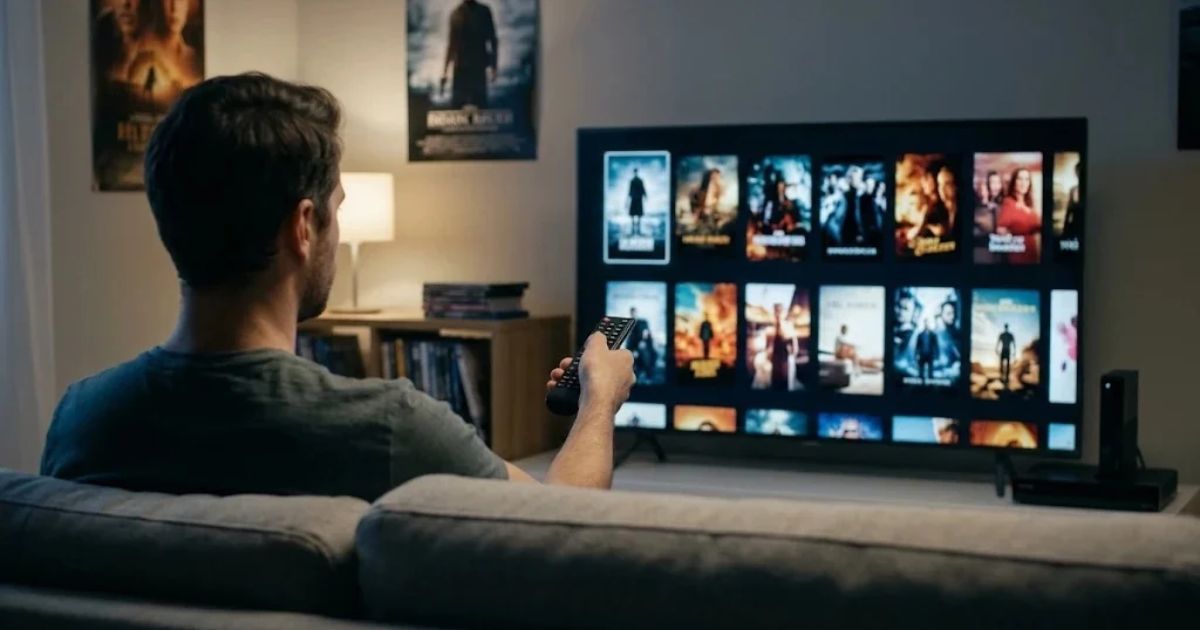
HDMovieArea is a name used by websites that offer free movies in HD quality. These sites are not licensed streaming services. They typically host copyrighted films without permission from the studios that own them. Because such domains get blocked and replaced often, the address you find today may not work tomorrow, and a copy may appear under a similar name. If you searched for this term, you probably want three things: to know what the site is, whether using it is risky, and how to get the same films without those risks. This article covers all three. It also explains how to tell a legal source from an unlicensed one, and how to find where a specific movie streams in your country.
What HDMovieArea Refers To
HDMovieArea belongs to a large group of unofficial film sites. Most follow the same pattern. They list thousands of recent and older films, show posters and ratings, and offer a play button or download link. The films usually come from unauthorized uploads, not from licensing deals.
Three things set these sites apart from licensed services:
- No licensing agreement. Netflix, Prime Video, and similar services pay for the right to show films. Unlicensed sites do not.
- Revenue from ads and tracking. Since they don’t charge subscription fees, they earn money through aggressive advertising, redirects, and data collection.
- Frequent domain changes. When courts or internet providers block a domain, operators often launch a new one. Clone sites copy the design and branding of older versions.
There is no sign that HDMovieArea is an official brand of any studio or streaming company. If you see it advertised as an official app or service, treat that claim with suspicion.
Is HDMovieArea Legal to Use?
Short answer: Watching or downloading copyrighted films from an unlicensed site is generally considered copyright infringement in most countries, including the United States, the United Kingdom, and India. Laws differ by country, so this is general information, not legal advice.
Enforcement mostly targets the people who run these sites and the groups that upload films. Individual viewers are rarely prosecuted in most places. However, some countries have civil penalties that can apply to users, and the legal risk is not zero. The U.S. Copyright Office publishes official guidance on copyright law, and most national copyright authorities offer similar information.
The table below shows how common viewing options compare.
| Source type | Typical legal status | Typical risk level |
|---|---|---|
| Paid subscription services (for example, Netflix, Prime Video, Disney+, Hulu) | Licensed | Low |
| Free, ad-supported licensed services (for example, Tubi, Pluto TV) | Licensed | Low; expect ads |
| Library apps (for example, Kanopy, Hoopla) | Licensed through your library card | Low |
| Public domain archives (for example, Internet Archive) | Legal for public domain titles; status varies by country | Low |
| Unlicensed streaming or download sites (including HDMovieArea-style sites) | Typically infringing | High, including malware and scams |
Key point: “Free” does not mean “legal.” Many licensed services are free because they show ads, not because they are pirated. Check the operator before you watch.
Is It Safe? The Real Risks
Unlicensed movie sites carry risks that have nothing to do with copyright. These sites depend on advertising, and some ad networks and site operators do not screen their content carefully. Security researchers and browser providers have documented these threats for years, and they remain common on unlicensed sites.
Common risks include:
- Deceptive pop-ups and fake play buttons that open new tabs or install software.
- Fake “video player” or “codec” downloads that contain malware. Real movie players do not need a special file to play a film.
- Phishing pages that ask for login details, credit card numbers, or phone numbers to “verify your age” or “unlock HD.”
- Browser hijacking, where unwanted extensions change your homepage or search engine.
- Redirects to unrelated sites, including gambling and adult pages.
- Hidden cryptomining scripts that use your device’s processing power.
Mobile users face extra risk. Apps installed from outside official app stores (sometimes called sideloaded apps) can bypass the review systems that official stores use. Be cautious about any site that asks you to install an app file.
No safety test can certify an individual site as safe. A site can look clean one day and carry malware the next. Treat every unlicensed movie site as high risk.How to Spot a Fake or Clone Movie Site
Clone sites often copy a popular design and change only the domain name. Use these checks before you enter any movie site.
- Look for a licensing or contact page. Licensed services name their operator and provide support channels. Many unlicensed sites hide this information or use vague language.
- Watch for download prompts. A film should play in the browser. If the site insists you install a player, extension, or file, stop.
- Check the domain’s reputation. Google’s Transparency Report includes a Safe Browsing lookup that shows whether Google has flagged a site. A clean result does not guarantee safety, but a flagged result is a clear warning.
- Check the registration details. ICANN Lookup shows when a domain was registered. Very new domains that claim to be established services are a red flag, though a new domain alone does not prove a site is unsafe.
- Be wary of unusual domain patterns. Many clone domains use unusual extensions, extra hyphens, or several similar names in a row.
- Do not trust HTTPS alone. The padlock icon means the connection is encrypted. It does not mean the site is legal or safe.
If a site fails two or more of these checks, close it.
Why “HD” Does Not Tell You Much
Searchers often assume that an HD label means high quality. The label itself says little. Here is what the common terms mean:
- 720p (HD): A basic high-definition resolution.
- 1080p (Full HD): The most common standard for streaming and Blu-ray.
- 4K (2160p, Ultra HD): Four times the pixel count of 1080p. It requires a 4K-capable screen and often a higher-tier subscription.
On licensed services, the quality you receive depends on your plan, device, and internet speed. Many services limit 4K to premium plans or specific devices. This is why a legal service may show a lower resolution than an unlicensed copy. A legal stream is still the safer choice, and quality limits are usually clearly listed in account settings.
Practical advice: If you want 4K, check the service’s plan details and device list before you pay. Search for “4K” in the app’s settings or help center rather than trusting a title’s label.
Legal Ways to Watch HD Movies for Free
Several licensed options are free to use, though most show ads.
- Tubi: A free, ad-supported service with a large catalog of films. Availability varies by country.
- Pluto TV: Free, ad-supported, and organized partly as live channels. Like Tubi, its catalog depends on your region.
- YouTube: Some full-length movies are available free with ads in certain regions. Others are rent or buy only. Check the listing before you assume it is free.
- Plex (free tier): Plex offers free channels of licensed content. It also lets you organize your own legally owned media.
- Kanopy and Hoopla: Many public libraries offer these services at no cost with a library card. Kanopy often features independent, classic, and documentary films. Availability depends on your library’s subscription.
- Internet Archive and public domain collections: Many older films are in the public domain in certain countries. Public domain status depends on the film’s age and where you live, so check the rights notice before you watch.
Practical tip: Library apps are often the most overlooked option. If your library offers Kanopy or Hoopla, the library card gives you access to a large, legal catalog at no cost.
Paid Options: Subscriptions, Rentals, and Purchases
Paid licensed options give you the widest range of new releases and the highest reliability.
| Option | Best for | Trade-offs |
|---|---|---|
| Subscription services (for example, Netflix, Prime Video, Disney+, Hulu) | Watching many titles each month | Catalogs and prices change often; titles rotate |
| Digital rental (for example, Apple TV, Google Play, Vudu) | Watching one or two specific new releases | You pay per film; access is time-limited after you start |
| Digital purchase | Films you want to keep and rewatch | Usually costs more than renting; access depends on the store’s terms |
| Bundles and channel add-ons through a provider | Watching across several services | Can overlap; check what you already pay for |
Prices, bundles, and app integrations change frequently. Check each service’s official pricing page before you subscribe.
How to Find Where a Movie Streams Legally
Catalogs vary by country, so the same film may be on a free service in one place and unavailable in another. Use this process:
- Set your region. Use a legitimate aggregator such as JustWatch, which lists where titles are available in each country.
- Search the exact title and year. Remakes and films with similar names can cause confusion.
- Check your library app. Kanopy and Hoopla availability is listed in the app.
- Check free ad-supported services. Tubi, Pluto TV, and similar services often carry older and mid-tier titles.
- Compare rent and buy prices. A one-time rental can cost less than a subscription if you watch only one film.
- Check the service’s help page for quality limits. This shows whether 4K or HDR is included in your plan.
A note on accuracy: Aggregators can lag behind real-time changes. Always confirm availability on the streaming service itself before you pay.
Common Mistakes People Make
- Assuming “free” means “legal.” Many unlicensed sites look free but profit from ads, tracking, and malware.
- Installing a required player or app. Real movie services do not ask you to install a separate file to watch a film.
- Trusting HTTPS as a safety signal. Encryption does not verify legitimacy.
- Reusing passwords. If you enter an account password on a fake site, change it everywhere it was used.
- Relying on forum lists of “working” domains. These lists are often out of date, and some are created to distribute malware.
- Ignoring regional availability. A film you cannot find on one service may be available on another in your country.
- Paying for duplicate subscriptions. Check your existing subscriptions and library access first.
Expert Tips for Watching Movies Safely and Legally
- Start with your library. A free library card can open a large catalog of legal films.
- Use a free ad-supported service for older titles. You’ll see ads, but the content is licensed.
- Rent a single new release instead of subscribing for one film. This can be the cheapest legal option.
- Keep your browser and device updated. Updates patch known security weaknesses. Built-in browser warnings for dangerous sites are useful, but they are not foolproof.
- Use an ad blocker, with caution. It can reduce malicious ads, but some sites and services restrict access when they detect blockers. Use it as one layer of protection, not a substitute for judgment.
- Set a rule: no downloads from unknown sites. This one habit eliminates most malware risk.
- Check the service’s offline download policy. Many licensed apps let you download titles for offline viewing within their own app. That’s a legal way to watch without a steady connection.
Limitations and What Can Change Quickly
This article reflects general patterns, not a live review of any specific website. Several things change quickly:
- Domain status. Any HDMovieArea domain can be blocked, moved, or taken down, and new clones appear regularly.
- Legal rules. Copyright enforcement and site-blocking orders differ by country and change over time.
- Streaming catalogs and prices. Titles move between services, and plans are revised often.
- Free service terms. Ad-supported services change their regional availability and catalog.
For any of these, check the official source, such as the service’s own website, your national copyright office, or your library’s help pages.
Where This Is Heading
Based on current trends, several developments seem likely to continue, though none is guaranteed:
- Growth in free, ad-supported services. Many viewers now accept ads in exchange for free content, and these services keep expanding.
- Continued site blocking. Courts and internet providers in several countries already block unlicensed sites, and this pattern is likely to continue.
- More sophisticated clone sites. Operators may use more convincing designs and automated tools to create copies, which makes manual checks more important.
FAQ
Is HDMovieArea a legal website?
There is no sign that HDMovieArea is a licensed streaming service. Sites using this name are generally understood to host unlicensed copies of films. Check the current status yourself before relying on any information, and treat any unlicensed site as high risk.
Can I get in trouble for watching a movie on an unlicensed site?
It depends on where you live. In most countries, enforcement focuses on site operators and uploaders, and individual viewers rarely face action. Some jurisdictions have civil penalties that can apply to users, though. Laws vary, so check your national copyright authority for guidance.
Is it safe to use HDMovieArea on my phone?
Mobile use carries the same risks as desktop use, plus extra risk from fake app downloads and installs from outside official app stores. Avoid installing any app file or “player” from an unlicensed site.
Why do movie site domains keep changing?
Courts, internet providers, and rights holders block or take down unlicensed domains. Operators often respond by launching new domains with similar names and designs.
What is the best free legal way to watch HD movies?
It depends on your country and what you want to watch. For many viewers, the best starting points are a free ad-supported service such as Tubi or Pluto TV, or a library app such as Kanopy or Hoopla if your library offers it.
What is the difference between HD and 4K?
HD usually means 720p or 1080p. 4K has about four times the pixels of 1080p. You need a 4K-capable screen and often a higher-tier plan to watch 4K on licensed services.
Can I download movies legally?
Yes, many licensed apps offer offline downloads of titles you have access to. Downloads usually stay inside the app and expire after a set period. Check each service’s terms.
Conclusion
HDMovieArea is a name tied to unlicensed movie sites that carry real legal and security risks. The films they offer usually come without permission from the rights holders, and the sites often expose visitors to malware, scams, and aggressive advertising. Domains change often, so no specific address can be treated as reliable for long.
The better path is practical. Use free, ad-supported licensed services, check your library’s streaming apps, rent a single film when you need one, or subscribe to a service that fits your viewing habits. Use a title finder to confirm where a movie streams in your country. These options are safer, usually simpler, and often free.